![stage-stubs-logo.svg]](https://help.stagestubs.com/hubfs/stage-stubs-logo.svg)
Quick answer: To share a Stage Stubs ticket, open your order, click Share next to the ticket and enter the person's email address. They get their own ticket with its own QR code by email, and you keep a copy of the order. You can change or stop sharing until the show starts.
Bought tickets for grandparents, friends or the rest of the family? You can send each person their own ticket by email. They'll get a ticket with its own code to show at the door, which means no more hanging around outside waiting for whoever has all the tickets. You keep a copy of the whole order, so nothing's lost.
How to share a ticket
- Open your order. The easiest way is View my order in your booking email, or go to My Orders and click View.
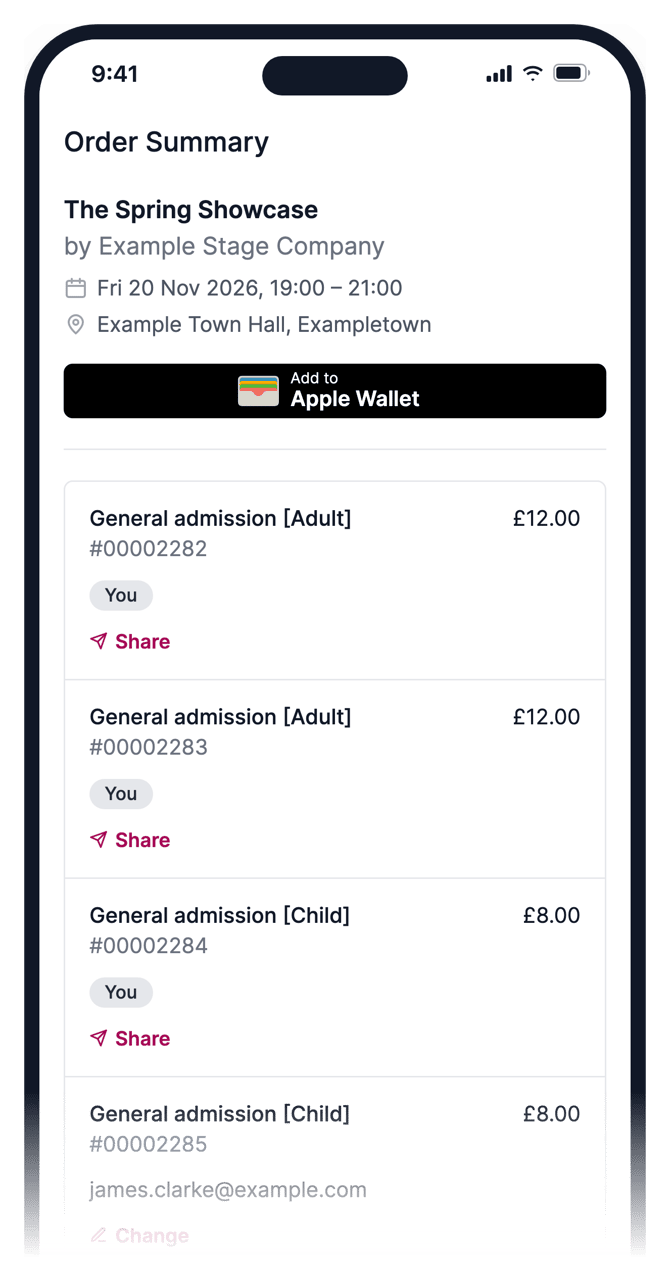
- Find the ticket you'd like to send and click Share next to it.
- Type in their email address and click Send. Only that ticket is sent, and you'll still see it in your order, marked Sent to with their email.
You can also share straight from your booking email, using Send to someone next to each ticket, or from the confirmation page just after you've paid (look for "Buying for someone else?").
What they'll get
They'll receive an email letting them know you've sent them a ticket for the show. It has their own ticket code to show at the door, a Download my ticket button for a PDF copy, and buttons to save it to Apple Wallet or Google Wallet and add the date to their calendar. They don't need an account or anything else.
Sent it to the wrong person, or plans changed?
Easily fixed. Click Change next to the ticket to send it again or to a different email address. If you send it to someone new, they get a fresh ticket and the old one stops working.
Want the ticket back? Click Stop sharing and confirm. The ticket you sent stops working and comes back to you.
Good to know
Either code, yours or theirs, lets one person in. Once one has been scanned at the door, the other won't work, so each seat can only be used once.
You can't share a ticket once it's been scanned, refunded, or after the show has started. To keep everyone safe, you can send up to 30 tickets an hour, and up to 10 a day to the same email address.
Common questions
Does the person I share with need an account? No. They just need an email address.
Can both of us get in with the same ticket? No. Either code lets one person in, once.
Can I transfer a ticket I've already shared? Yes. Click Change and enter a new email address. The old ticket stops working.
Related guides: Finding and downloading your tickets · Adding tickets to your phone wallet and calendar
Need a hand? Email us at hello@stagestubs.com and we'll be happy to help.