![stage-stubs-logo.svg]](https://help.stagestubs.com/hubfs/stage-stubs-logo.svg)
Quick answer: To get ready for show day on Stage Stubs, install the Stage Stubs app and sign in, add your door helpers as scan assistants, tell buyers about any changes, and download your admissions list once sales close as a backup. Your event page's Show day checklist walks you through each step.
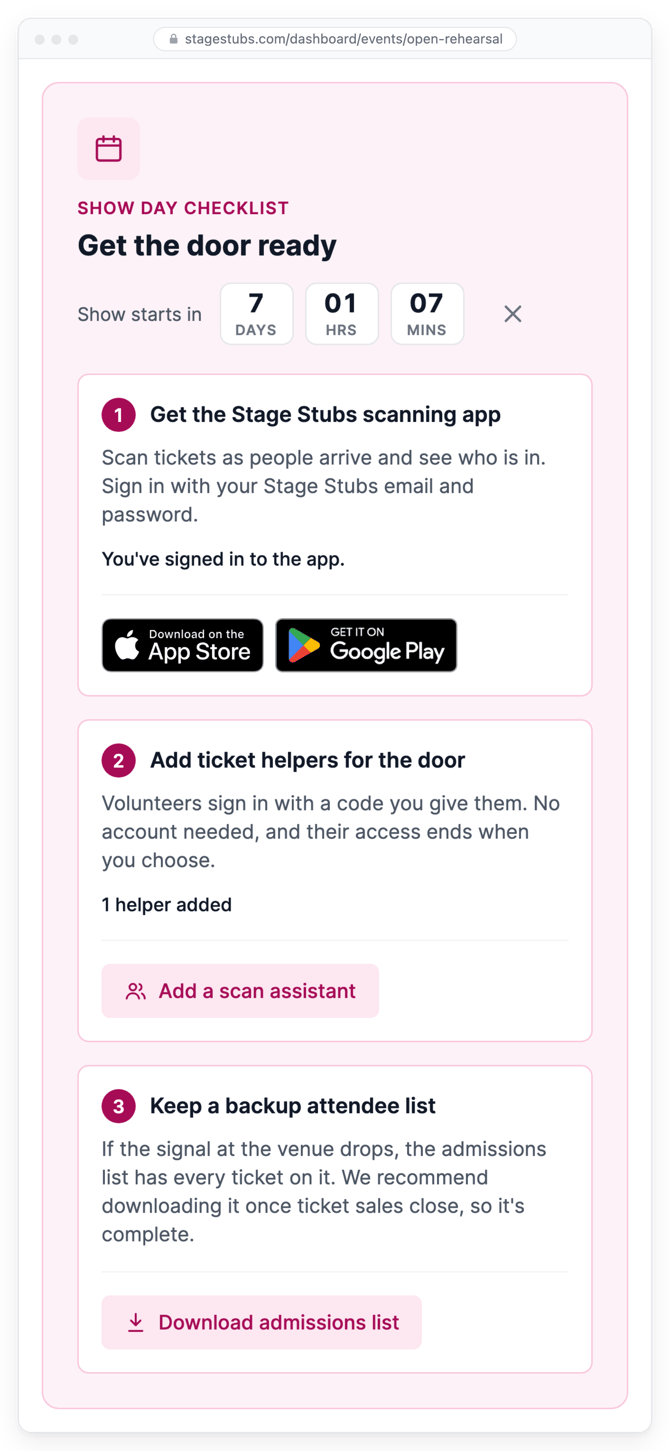
Show day is exciting, and a bit hectic! A few minutes of preparation in the week before makes the door quick and stress-free, so you can enjoy the performance. Your event page has a Show day checklist to help you, and we'll send you a reminder email a week before.
The week before
Start by getting the Stage Stubs app on your phone. Click Get the app in your account menu, or search "Stage Stubs" in the App Store or Google Play, then sign in once to check everything works. (See: The Stage Stubs app.)
If you've got helpers on the door, add them as scan assistants so they can scan tickets without needing your password, and send them the app link (stagestubs.com/app works on any phone). (See: Helpers who scan tickets.)
If anything has changed, like the start time or which door you're using, let your families know with Notify All Buyers. (See: Changing an event after it's published.)
On the day
Once ticket sales close, download a backup list using Download admissions list in your checklist. Print it, or keep it on a laptop, just in case. (See: Your admissions list.)
Charge your phones (and bring a charger), and check the signal at the venue door. If it's patchy, make sure everyone opens the event in the app while they still have signal or Wi-Fi.
And have a plan for anyone who can't find their ticket: you can look people up by name or email in the app's search.
During the show
Want to know how many people are in? Watch tickets being scanned live on your event's Ticket Scans tab.
Good to know
Families can show their ticket from the booking email, a PDF, a printout or their phone's wallet: they all scan in exactly the same way. And because each ticket can only be scanned once, a copied ticket won't get a second person in.
Common questions
What if someone can't find their ticket? Search for them by name or email in the app.
Do printed tickets work? Yes, as do tickets on phones and in phone wallets.
Related guides: The Stage Stubs app · Helpers who scan tickets · Your admissions list
Need a hand? Email us at hello@stagestubs.com and we'll be happy to help.