![stage-stubs-logo.svg]](https://help.stagestubs.com/hubfs/stage-stubs-logo.svg)
Quick answer: To let volunteers scan tickets on Stage Stubs, go to Scan Assistants in your account menu, click Create, add their name and when access should end, and save. Click their name to show a sign-in code, which they scan in the Stage Stubs app after choosing Sign in as a scan assistant. One code signs in all your helpers' phones.
Most shows have a few wonderful volunteers on the door. Scan assistants let them scan tickets in the Stage Stubs app using a simple sign-in code, so you never need to share your own password. They can only do what's needed at the door, and their access ends automatically when you choose.
Adding a helper on the website
- Open your account menu and click Scan Assistants.
- Click Create.
- Type your helper's name.
- Choose when their access ends: after 1 day, 1 week, 1 month, 3 months, 6 months or 1 year.
- Click Save.
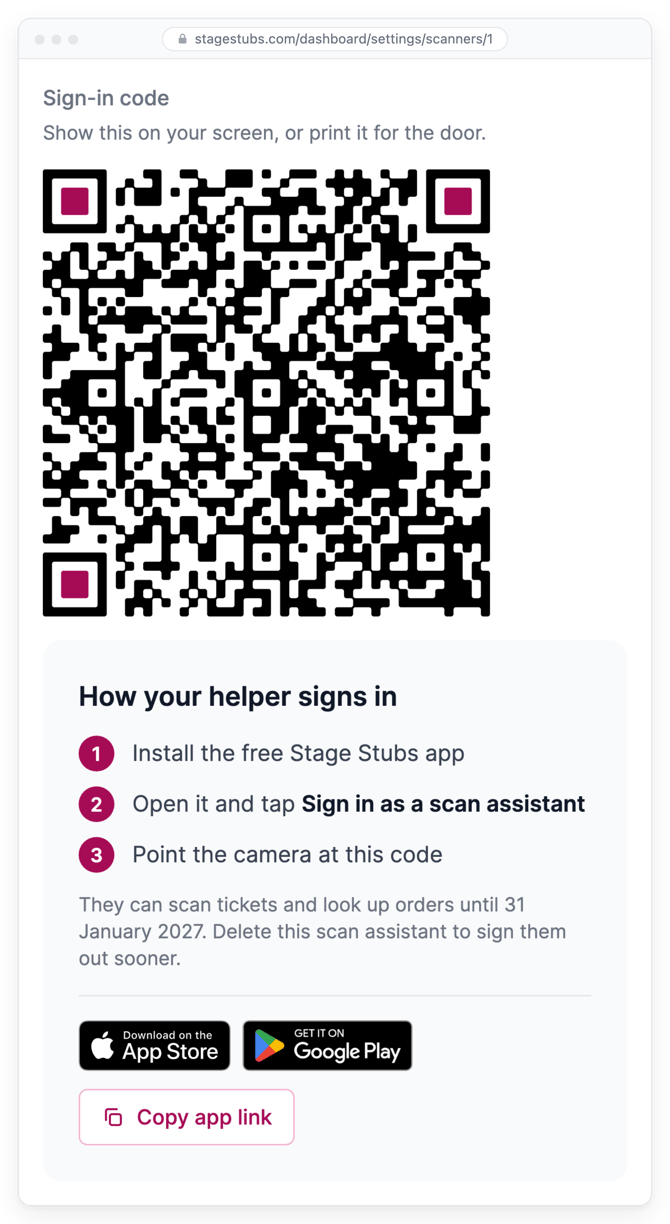
- Click your helper's name in the list to see their Sign-in code.
Adding a helper in the app
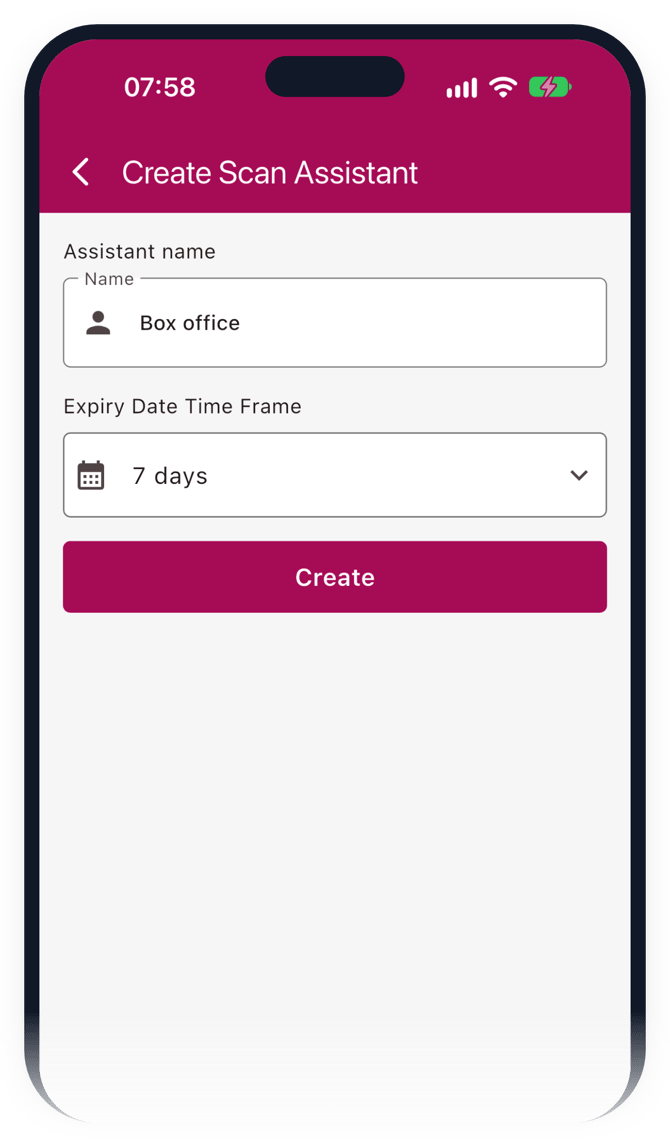
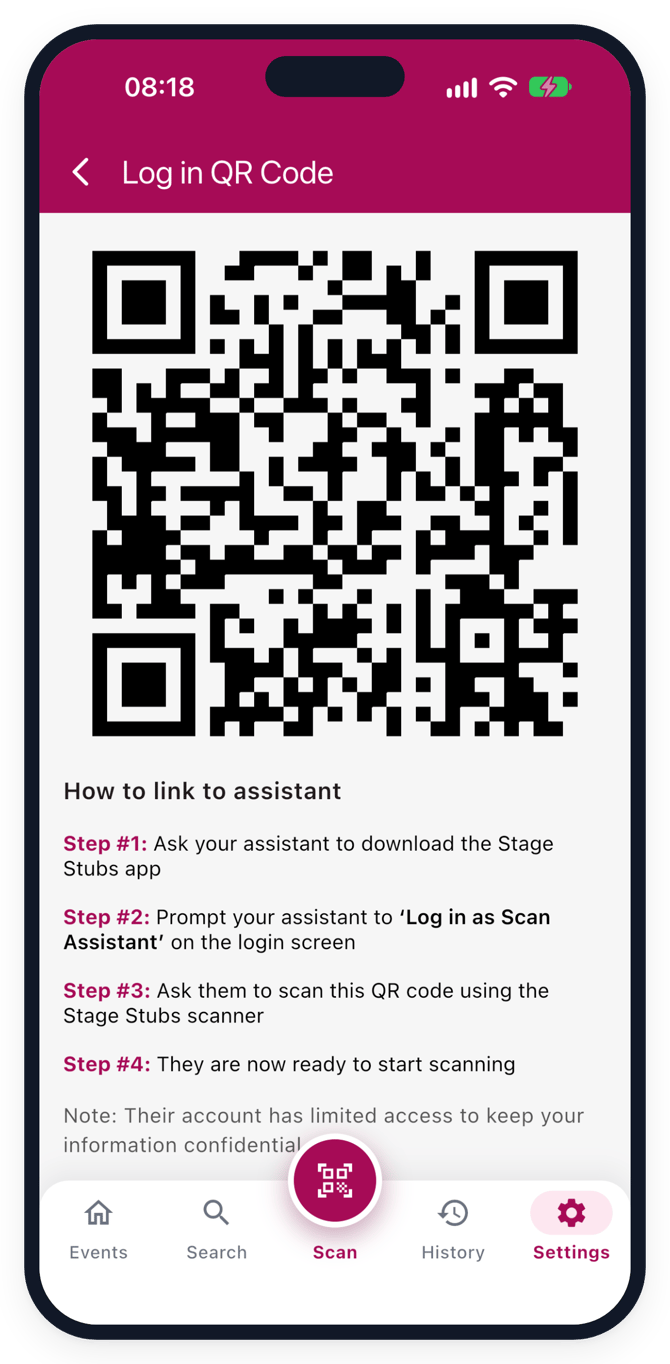
You can do the same from your phone. In the app, go to Settings, then Scan assistants, and tap +. Add their name, choose when access ends, and tap Create. Then tap Show log in QR Code to show their sign-in code.
How your helper signs in
First, your helper downloads the Stage Stubs app. You can send them stagestubs.com/app, or click Copy app link on the Scan Assistants page and paste it into a message. On the app's sign-in screen, they choose Sign in as a scan assistant and scan the code from your screen.
The same code signs in as many phones as you need, so you can show it on your screen or print it for the door. It keeps working until the helper's access ends, or until you delete them.
What helpers can and can't do
Helpers can scan tickets and look up orders. They can't see your sales, payouts or settings, change your events, or add other helpers.
With the latest version of the app, they can also undo a check-in and sell tickets at the door.
Removing a helper early
If a helper no longer needs access, delete them from Scan Assistants and their phone is signed out.
Common questions
Can helpers see my sales? No. They can scan and look up orders, but not see sales, payouts or settings.
Can I print the sign-in code? Yes. It works for every helper until their access ends, so keep it somewhere only your team can see.
Related guides: The Stage Stubs app · Getting ready for show day
Need a hand? Email us at hello@stagestubs.com and we'll be happy to help.