![stage-stubs-logo.svg]](https://help.stagestubs.com/hubfs/stage-stubs-logo.svg)
Quick answer: On Stage Stubs, open your event from My Events: Your event in figures shows tickets sold, tickets left and income, and the Orders tab lists every booking. The Reports tab has an Event Sales Summary Report to download, and each showing has a downloadable admissions list.
Whether you're checking if the Saturday matinee needs a push, or your treasurer wants the figures, everything about your sales is just a click or two away.
How your event is selling
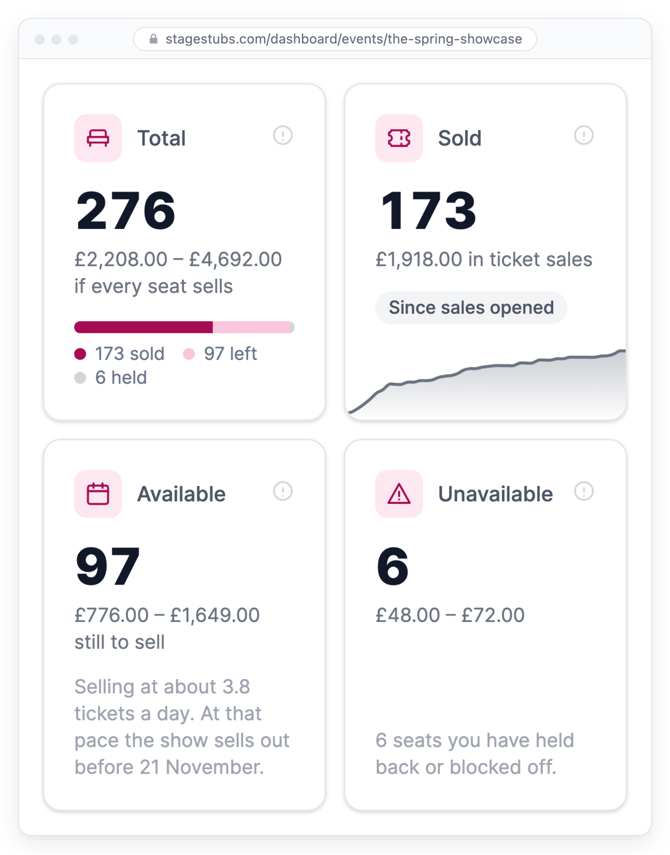
Open your event from My Events by clicking View. Right at the top, Your event in figures shows how many tickets you've sold, how many are left and how many are Held or blocked, how much you've taken, and whether you're On track to sell out.
Every order, in one place
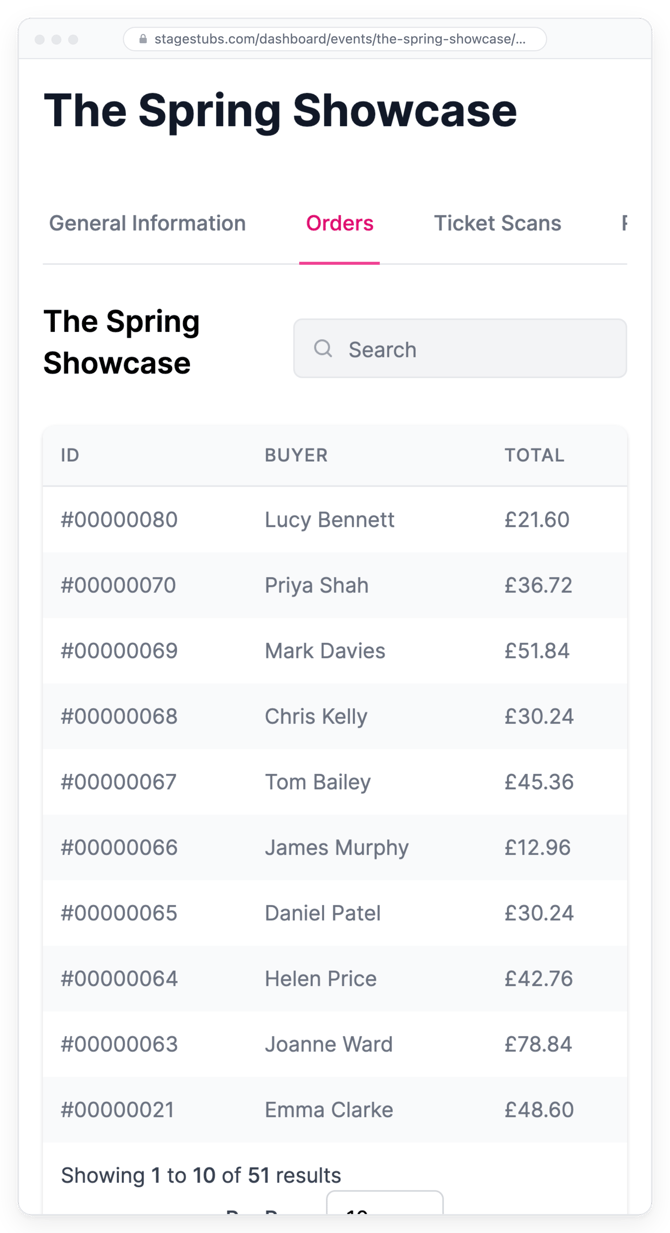
Open the Orders tab to see every booking for the event. Click an order to see the buyer's name and email, their tickets and seats, any merchandise or discount, and what they paid. Tickets sold at the door are marked Door sale. You can refund an order from here too. [Link: Refunding a buyer.]
Looking for someone in particular? Use Search at the top of the page to find an order by name, email or order number.
Reports to download
The Reports tab has an Event Sales Summary Report, a spreadsheet of your sales that's perfect for your treasurer. For each date you can also download an admissions list showing every seat or ticket and who bought it [link: Your admissions list], and the Merchandise tab has Export Report for merchandise orders.
Your latest bookings
Your dashboard shows Recent orders across all your events, so you can watch bookings come in at a glance.
Common questions
Can I export orders to Excel? Yes, the sales report and admissions list both open in Excel or Google Sheets.
How do I find one order? Use Search at the top of the page.
Related guides: Your admissions list · Refunding a buyer
Need a hand? Email us at hello@stagestubs.com and we'll be happy to help.