![stage-stubs-logo.svg]](https://help.stagestubs.com/hubfs/stage-stubs-logo.svg)
Quick answer: Families can follow you on Stage Stubs after booking, from your organiser page or from a show's countdown page. Whenever you publish a new show, and when its tickets go on sale, we email your followers automatically. You'll see how many you have under Families following you on your dashboard.
When someone follows you on Stage Stubs, we email them whenever you put a new show on sale. It's the easiest way to fill seats with people who already love what you do, and there's nothing for you to set up: it just happens.
How families follow you
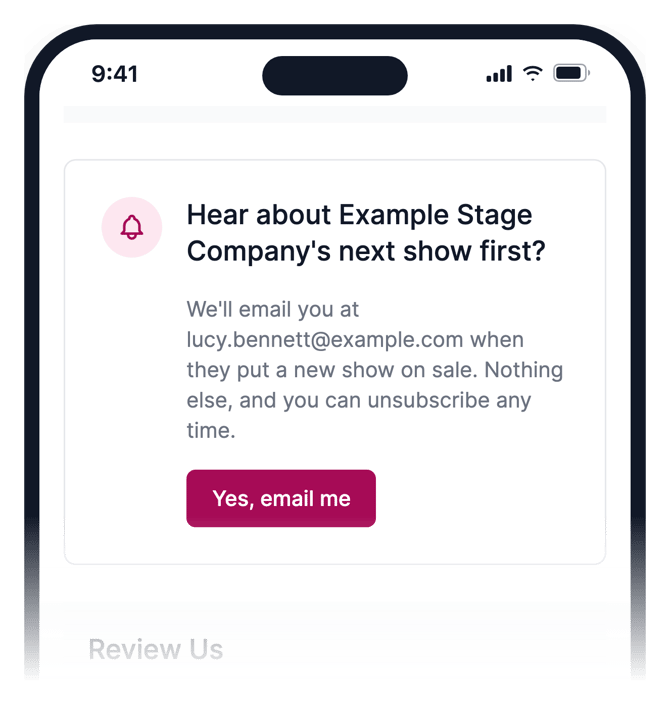
There are a few natural moments when families can choose to follow you. Straight after booking, the confirmation page asks "Hear about [your name]'s next show first?" and they can click Yes, email me. Your organiser page has "Never miss a show from [your name]" with a Notify me button. And before tickets go on sale, your event's countdown page offers Get an email when tickets go on sale.
What they receive
Followers get an email when you publish a new show, and again when tickets for it go on sale. Every email has a link to unfollow you, or to stop all new-show emails, so families are always in control.
Seeing how many followers you have
Look for Families following you on your dashboard. It's lovely to watch it grow.
Good to know
Password-protected events aren't sent to followers, so private shows stay private. And it's worth sharing your organiser page link alongside your event link, so more families can follow you. Your organiser page link will usually follow this format:
www.stagestubs.com/your-company-name
Common questions
Do I need to send the emails? No, they go automatically.
Can followers unsubscribe? Yes, from a link in every email.
Related guides: Sharing your event
Need a hand? Email us at hello@stagestubs.com and we'll be happy to help.